
If you have been hit by the sudden wave of Aetna denials for Medical Nutrition Therapy (MNT), you are not alone.
Aetna recently implemented a policy change denying MNT coverage for patients with a BMI under 30, dropping this update with zero warning. This has left private practices scrambling to manage paused revenue and patients confused about their care. The Academy of Nutrition and Dietetics is actively addressing this issue directly with Aetna leadership, and we will continue to monitor their progress.
While the Academy advocates for our profession on the policy front, you have the power to win the billing battles happening inside your own practice.
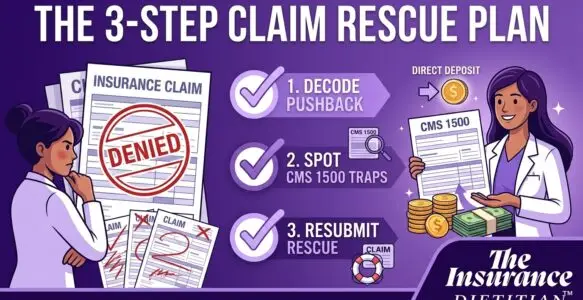
Watch our latest video below to learn how to clean up your billing routine, or read on for the full 3-step breakdown to rescue your unpaid claims.
Step 1: Decode the Pushback
Not all returned claims require the same fix. Knowing exactly where a claim was stopped dictates your next move.
- A Rejected Claim: This claim never officially made it to the payer. It was kicked back by the clearinghouse due to a formatting error, missing data, or an invalid code. Because it was never processed, you simply correct the missing information and submit it as a brand-new claim.
- A Denied Claim: This claim was received and processed by the payer, but they refused to pay it based on coverage rules (like the Aetna BMI policy) or a billing error. You cannot submit a new claim. You must submit a “Corrected Claim” or a formal appeal that directly references the original claim number.
Step 2: Spot the Traps
The easiest way to handle bounced claims is to prevent them from bouncing in the first place. These are the most common traps on a CMS 1500 form that trigger instant kicks:
- Mismatched Demographics: The patient’s name, date of birth, or ID number does not perfectly match what the insurer has on file (e.g., billing under “Bill” instead of “William”).
- Invalid Diagnosis Codes: Using outdated ICD-10 codes, or failing to point the correct diagnosis code to the corresponding CPT code (such as 97802 or 97803).
- Missing Provider Info: Leaving out the referring provider’s NPI when a referral is required, or forgetting your own rendering NPI in the designated box.
- Place of Service (POS) Errors: Using the in-office POS code (11) when the session was actually conducted via telehealth (02 or 10).
Step 3: Execute the Resubmission Rescue
When a claim comes back unpaid, do not immediately write it off as a loss. Follow this process to recover your revenue:
- Read the Codes: Review the Electronic Remittance Advice (ERA) or Explanation of Benefits (EOB). Locate the specific Claim Adjustment Reason Code (CARC) to identify the exact reason for the denial.
- Make the Fix: Update your Electronic Health Record (EHR) or CMS 1500 form with the accurate data.
- Bill as Corrected: If it was a denial, change the Resubmission Code in Box 22 to a “7” (Replacement of prior claim) and include the Original Reference Number provided by the insurance company.
- Beat the Clock: Pay close attention to the payer’s timely filing limits for corrected claims. These windows are often significantly shorter than the initial submission deadlines.
Guessing your way through claim submissions leaves thousands of dollars on the table. When you master the rules of insurance billing, you build a sustainable, profitable practice where direct deposits happen on repeat. Take time this week to audit your most recent batch of unpaid claims using this 3-step method.
What has been your biggest frustration with insurance billing lately? Let us know in the comments below.
Want to discuss your issues? Schedule a 15 min session with Laura to review your needs for assistance.
Just getting started? Learn more about how to Get Clarity for your Practice